


The Ultimate AR Core Download Map for Developers
What Is AR Core Download and Where Do You Get It?
AR core download is simpler than most people expect. Here’s the quick answer:
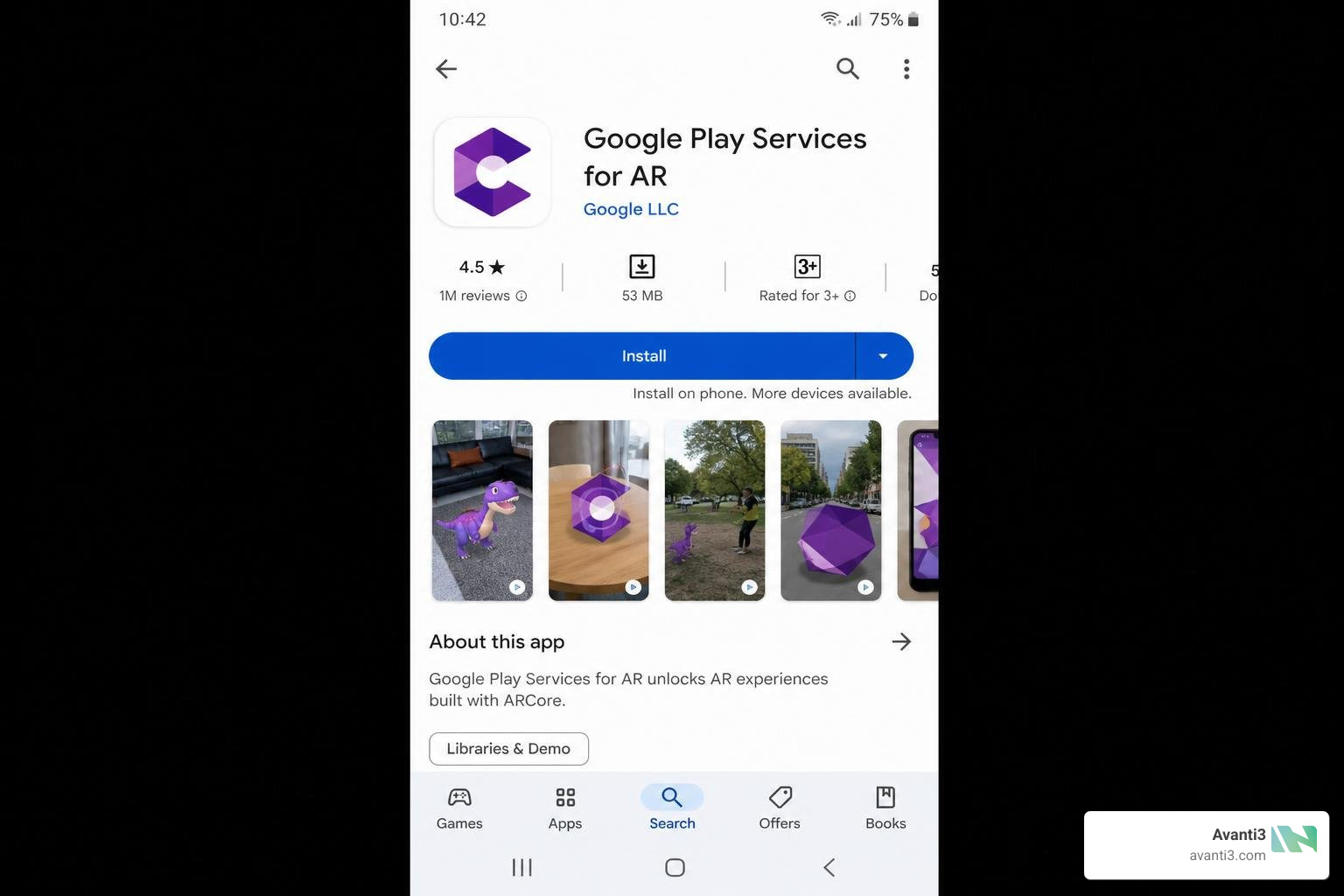
- Android users: Google Play Services for AR is automatically installed on supported devices. You can also get it manually from the Google Play Store.
- Developers (Android/iOS/Unity): Download the ARCore SDK directly from the official ARCore SDK Downloads page after agreeing to Google’s terms.
- Sideloading: APK variants are available on third-party sites like APKMirror and Uptodown for manual installation or testing.
- iOS developers: Install via Swift Package Manager using the ARCore iOS SDK on GitHub.
Google Play Services for AR — formerly known as ARCore — is Google’s platform for building and running augmented reality experiences on Android. It has been downloaded over 5 billion times on the Google Play Store and holds a 4.1 rating from more than a million reviews. On supported devices, it installs and updates automatically, so most users never need to think about it. Developers, on the other hand, need to know exactly which SDK to grab, which platforms are supported, and what changed in the latest version.
This guide covers all of that in one place — from finding the right download to integrating ARCore into your app.
I’m Samir ElKamouny, a marketing expert and entrepreneur who has helped brands leverage cutting-edge technologies — including AR core download strategies and immersive AR experiences — to grow their audiences and build deeper engagement. Let’s break down everything you need to know, step by step.
Ar core download terms you need:
Navigating Your AR Core Download and Installation Options
Whether you are a casual gamer trying to run an interactive experience or a seasoned developer setting up a test environment, finding the right ar core download channel is your first step.
Official AR Core Download Channels for Android and iOS
For the vast majority of Android users, you do not need to manually seek out an ar core download. Google Play Services for AR is designed to install itself silently in the background when you download your first AR-enabled app from the Google Play Store – Apps on Google Play.
If you are a developer setting up a physical test device or working within an emulator, you can grab the official SDKs directly from the SDK Downloads | ARCore | Google for Developers portal. For a deeper understanding of how these background services link up with your hardware, explore The Ultimate Guide to ARCore and Google Play Services for AR.
On iOS, Google provides cross-platform functionality (such as Cloud Anchors) through the google-ar/arcore-ios-sdk on GitHub. This allows Apple devices to communicate seamlessly with Android devices in shared physical spaces.
Sideloading and Managing the AR Core Download APK
Sometimes, the Google Play Store is not an option. Perhaps you are testing on an uncertified device, operating in a region without Google services, or debugging a specific older version of the engine. In these scenarios, sideloading is your best friend.
You can find verified APK files on reliable third-party repositories like Uptodown, which boasts over 4 million downloads of the service, or via ARCore for Android – Download on Softonic.
When sideloading, you must pay close attention to your device’s architecture. ARCore APKs come in multiple variants, including:
- arm64-v8a (The standard for modern 64-bit Android devices)
- armeabi-v7a (Older 32-bit devices)
- x86 & x86_64 (Primarily used for running tests inside the Android Emulator)
Note: Sideloading the wrong architecture will result in immediate parsing errors or app crashes upon launch!
Device Compatibility and Resolving Bloatware Concerns
Not every phone can run AR. To unlock these immersive features, a device must go through Google’s formal certification process, which tests the camera, motion sensors, and CPU architecture to guarantee stable tracking. Major manufacturers on the certified list include:
- Samsung (Galaxy S and A series)
- Google (Pixel series)
- Xiaomi, OnePlus, Motorola, and Sony
For a comprehensive breakdown of hardware requirements, check out our Ultimate A-Z Guide to AR Development.
On the flip side, some users notice “Google Play Services for AR” running in their background processes and mistake it for bloatware. Because it auto-installs to support interactive shopping apps or games, it can surprise people. If you do not play AR games or use virtual measurement tools, you can safely uninstall or disable the app through your system settings without affecting your phone’s core operations.
Developer Integration: SDKs, APIs, and Platform Comparisons

Now let’s talk shop. If you are building an interactive experience, how do you get these tools into your code?
Integrating ARCore Across Android, Unity, and iOS
Depending on your engine of choice, your integration path will look slightly different:
- Native Android (Java/Kotlin): You will need to add the official dependencies to your
build.gradlefile. You can reference code samples directly from the GitHub – google-ar/arcore-android-sdk at 54861e38cceb406021fc8ece495f82387376af62 · GitHub repository. For a step-by-step tutorial on setting up your first project, read our guide on going From Zero to AR Hero: Developing Augmented Reality for Android. - Unity: While the legacy GitHub – google-ar/arcore-unity-sdk at v1.25.0 · GitHub is archived, modern Unity developers use Unity’s AR Foundation package along with Google’s ARCore Extensions to build cross-platform experiences.
- iOS: Integration is simple using Swift Package Manager. Add the repository URL in Xcode, set your dependency rules, and ensure you add the
-ObjCflag to your linker settings.
Core APIs, Privacy Requirements, and ARKit Differences
Before publishing your app, you must configure your manifest. You can declare your app as AR Required (meaning it cannot be downloaded on unsupported devices) or AR Optional (where AR features are a nice bonus). Google provides detailed instructions on how to set this up in the Enable AR in your Android app | ARCore | Google for Developers documentation.
Additionally, because AR apps analyze the user’s physical camera feed, strict privacy compliance is mandatory. You must explicitly request camera permissions at runtime and clearly disclose how spatial data is processed. For design inspiration that respects user boundaries, read AR Experience Design: What It’s Like and How to Get Started.
Here is a quick look at how Google’s platform stacks up against Apple’s native offering:
| Feature | Google ARCore | Apple ARKit |
|---|---|---|
| Primary OS | Android (with cross-platform iOS SDK) | iOS / iPadOS exclusively |
| Tracking Engine | Concurrent Odometry and Mapping (COM) | Visual Inertial Odometry (VIO) |
| Geospatial Scale | Global (Powered by Google Maps Street View) | Regional (Location Anchors in select cities) |
| Depth Sensing | Software-based Depth API & Hardware LiDAR | TrueDepth Camera & Hardware LiDAR |
Latest Updates, Breaking Changes, and Future-Proofing
As of June 2026, Google has rolled out vital updates to keep its spatial ecosystem future-proof.
- 64-bit Requirement: Support for 32-bit-only ARCore apps on 64-bit devices has been completely removed. If you have legacy apps on the store, you must update them with 64-bit native libraries to prevent crashes.
- Flash Mode: Developers can now utilize
Config.FlashModeto activate the device’s physical torch, allowing stable environmental tracking even in pitch-black settings. - Scene Semantics & Geospatial API: Utilizing real-time machine learning, ARCore can now identify specific real-world objects (like roads, buildings, and sky) and label them dynamically, opening up massive potential for outdoor gaming and navigation.
To keep up with these rapid changes, bookmark the ARCore – Google for Developers main portal.
At Avanti3, we believe the future of digital connection lives at the intersection of Web3, AI, and spatial computing. Whether you are using a code-heavy approach or looking for ways to build No Coding Required: Create Stunning AR Experiences Today, we design customizable engagement tools, digital rewards, and immersive campaigns that turn passive viewers into active communities.
Ready to transform how your audience interacts with your brand? Explore our tailored Avanti3 AR Marketing Solutions and let’s build something unforgettable together.