


The Developer Guide to AR User Engagement
Why Augmented Reality App Development User Engagement Is a Game-Changer for Apps
Augmented reality app development user engagement is one of the most powerful levers you can pull to make your app stand out — and the data backs it up.
Here’s a quick snapshot of what AR does for engagement:
| Metric | Impact with AR |
|---|---|
| Session duration | Up to 30% longer |
| Conversion rates | Up to 200% higher with virtual try-ons |
| Customer retention | Up to 40% increase |
| User engagement vs. non-AR | 200% higher for AR product experiences |
AR works by overlaying digital content — 3D models, animations, real-time data — onto the physical world through a smartphone camera. Instead of passively scrolling, users interact. That shift from passive to active is what drives longer sessions, stronger loyalty, and more conversions.
The numbers are hard to ignore. The AR market is projected to exceed $120 billion by 2026. Over 61% of consumers already prefer retailers that offer AR experiences. And with tools like ARKit, ARCore, and Unity now mature and widely accessible, there has never been a better time to build AR into your app.
But knowing why AR matters and knowing how to implement it well are two different things. That’s exactly what this guide covers.
I’m Samir ElKamouny, an entrepreneur and marketing strategist who has helped scale businesses through cutting-edge digital experiences, including augmented reality app development user engagement strategies that turn passive users into loyal communities. Let’s walk through exactly how to do this right.
Handy augmented reality app development user engagement terms:
Strategies for Augmented Reality App Development User Engagement
When we talk about augmented reality app development user engagement, we aren’t just talking about adding a “cool” filter. We are talking about spatial computing—the ability for a device to understand the world around it and place digital objects that feel like they belong there.
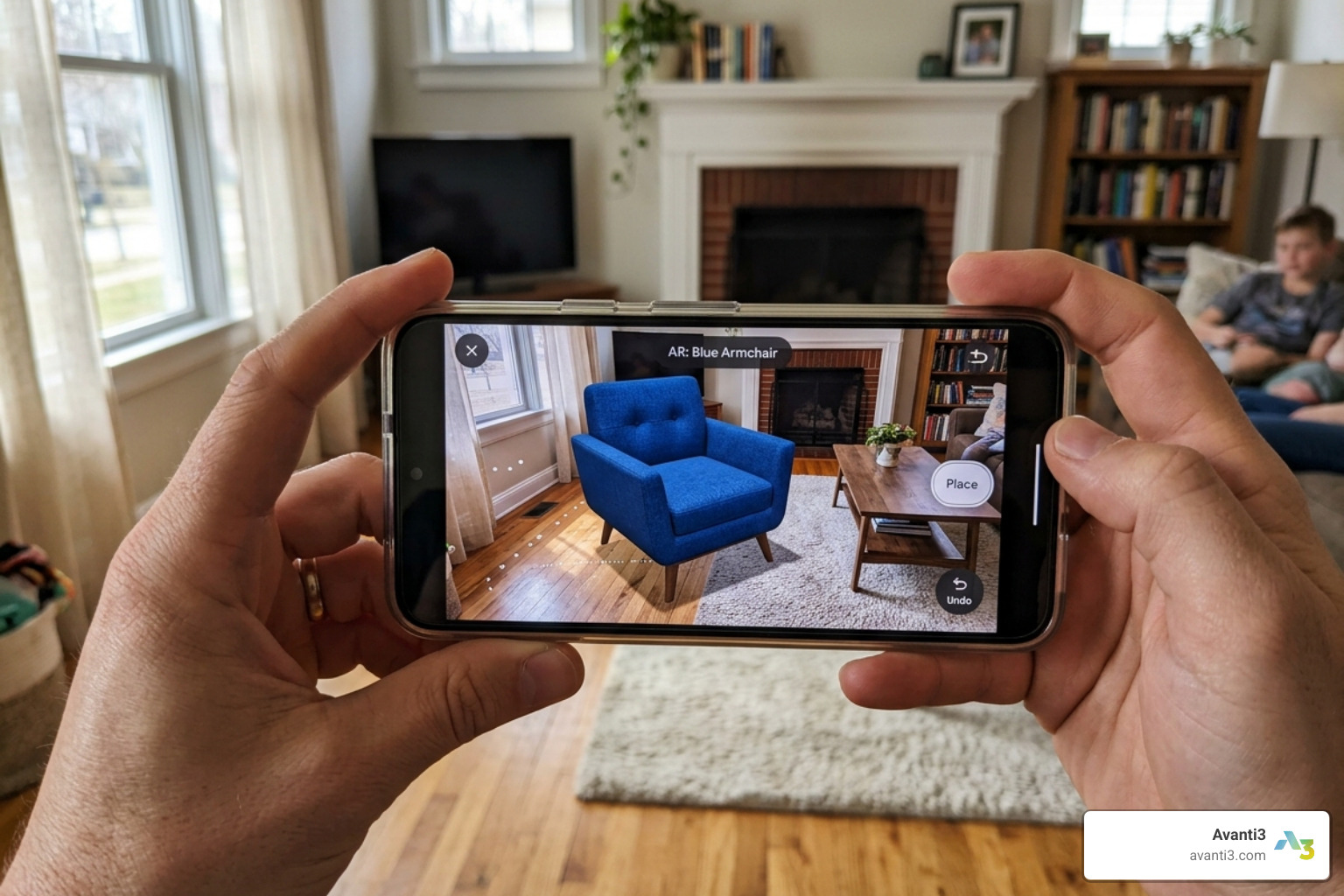
To achieve high engagement, performance is king. Research shows that users expect a frame rate of at least 60 FPS for smooth motion. If the digital object jitters or lags, the “magic” is broken, and the user drops off. This is where technologies like SLAM (Simultaneous Localization and Mapping) come in. SLAM allows your app to map the environment in real-time, ensuring that a virtual chair stays exactly where the user placed it, even if they walk around the room.
Comparing AR Interface vs. Traditional UI Engagement
Data from various studies highlights a significant gap between traditional 2D interfaces and AR-driven experiences:
| Feature | Traditional UI | AR-Powered UI |
|---|---|---|
| User Focus | High bounce risk | High “focused attention” |
| Interaction Type | Taps and Swipes | Spatial movement and Gestures |
| Retention | 25% lower on average | 40% higher retention |
| Learning Curve | Low | Moderate (requires guidance) |
By moving from marker-based AR (which requires a QR code or specific image) to markerless tracking (using GPS, LiDAR, and AI), we can create frictionless experiences. This allows users to launch an AR session anywhere, significantly boosting the frequency of use.
Enhancing Retail and E-commerce with AR Features
The retail sector has seen a massive transformation thanks to AR. One of the biggest hurdles in online shopping is “purchase uncertainty.” Will this sofa fit? Does this lipstick shade actually work for me? AR solves this by providing virtual try-ons and product visualizations.
When users can see a product in their own space, their confidence sky-rockets. In fact, interactive virtual try-ons can increase conversion rates by up to 200%. This isn’t just about making a sale; it’s about reducing return rates, which is a massive cost-saver for businesses. We’ve seen that AR marketing solutions help brands move from “showing” to “experiencing.”
Leading brands like IKEA have already set the standard with apps that let users place furniture with centimeter-level accuracy. By integrating these features, you turn a shopping app into a utility tool that users return to every time they consider a new purchase.
Gamification and AR Companions for Retention
If you want users to open your app every single day, you need an emotional hook. This is where AR companions or virtual animals come into play. Research on energy management apps showed that while AR didn’t always make the app “easier” to use, it significantly improved focused attention.
An AR pet that reacts to user actions or environmental data (like room temperature) creates a sense of ownership. Pokémon GO is the gold standard here, proving that location-based engagement combined with AR characters can become a global phenomenon.
To maximize this, we recommend:
- Interactive Characters: Make the companion respond to touch or voice.
- Reward Systems: Use augmented reality marketing to give users digital collectibles or Web3-based rewards for interacting with their AR companion.
- Personalization: Let users customize their companion’s appearance or behavior.
These elements transform a functional app into an emotional experience, which is the “secret sauce” for long-term retention.
Maximizing Augmented Reality App Development User Engagement in Education
Education is perhaps the most noble use case for AR. Instead of reading about the human heart in a textbook, students can hold a 3D, beating heart in their hands. This tactile, visual way of learning has a profound impact on skill acquisition—with 70% of users believing AR improves their ability to learn new things.
In a study of 106 students using an AR energy consumption app, the feedback was overwhelmingly positive. AR makes abstract data—like electricity usage or CO2 levels—visible and understandable. By visualizing complex data, we move away from boring charts and into interactive stories.
Developers should focus on:
- 3D Anatomy and Models: High-fidelity assets that users can zoom into.
- Knowledge Retention: Gamifying the learning process with AR quizzes.
- Immersive Experiences: Using AR/VR immersive experiences to transport students to historical sites or outer space.
Technical Best Practices and Future Trends
Building a successful AR app in 2025 and 2026 requires a modern tech stack. You aren’t just coding; you’re orchestrating sensors, cameras, and processors to work in perfect harmony.

The 2026 AR Tech Stack
- ARKit (Apple) & ARCore (Google): These are the foundational SDKs. Use them for world tracking, environmental understanding, and light estimation.
- Unity & Unreal Engine: These remain the top choices for rendering high-quality 3D content. Unity, in particular, is favored for its cross-platform AR Foundation framework.
- Cloud Anchors: Essential for multiplayer AR. They allow multiple users to see the same virtual object in the same physical spot, perfect for collaborative work or social gaming.
- WebXR: For those who want to avoid app store friction, WebXR allows AR experiences directly in the mobile browser. For developers who want a standards-based overview, the World Wide Web Consortium WebXR documentation is a useful reference.
To stay ahead, developers must focus on creating intuitive spatial interfaces that prioritize user comfort and visual stability. This involves deep integration of environmental understanding and light estimation to ensure virtual objects blend seamlessly with the real world.
Overcoming Development Challenges for Seamless UX
Let’s be real: AR development is hard. You’re fighting against hardware limitations, battery drain, and the unpredictable nature of the real world. Here is how we tackle the big three:
- Hardware Limitations & Overheating:
- Solution: Optimize your 3D assets. Keep polygon counts under 50,000 for mobile and use compressed textures. Implement Occlusion (where real objects hide virtual ones) carefully, as it’s CPU-intensive.
- UI/UX Design:
- Solution: Avoid cluttering the screen. Use a minimalist UI that doesn’t distract from the AR view. Provide clear on-screen instructions (e.g., “Slowly move your phone to find the floor”).
- Privacy and Data:
- Solution: Users are often wary of apps that require constant camera access. Be transparent. Use end-to-end encryption and ensure GDPR compliance.
For more on managing these hurdles, developers should prioritize asset optimization and rigorous testing across various mobile hardware profiles. If you’re looking to integrate unique assets, consider how augmented reality NFTs can provide secure, verifiable ownership of digital items within your AR space.
Integrating AI and Web3 for Next-Gen Engagement
At Avanti3, we believe the future of augmented reality app development user engagement lies at the intersection of AI and Web3.
AI Integration allows for “Context-Aware AR.” Imagine an app that doesn’t just show you a 3D model of a product but uses Machine Learning to predict which product you’ll like based on your surroundings and past behavior. AI-powered AR assistants can guide users through complex tasks, like repairing a faucet or navigating a new city, in real-time.
Web3 and Blockchain add a layer of value. By using NFTs, we can create persistent AR objects that users truly own. This is particularly exciting for augmented reality concerts, where fans can collect limited-edition AR memorabilia that they can display in their own homes.
Combining these with 5G connectivity means we can stream high-poly models from the cloud, reducing the load on the user’s device and enabling massive, shared AR experiences.
Measuring Augmented Reality App Development User Engagement Success
You can’t improve what you don’t measure. Traditional analytics (like clicks) don’t tell the whole story in AR. We need to look deeper.
Key Metrics to Track:
- Average Session Duration: AR sessions should ideally be 30% longer than 2D sessions.
- Interaction Frequency: How many times did the user tap, move, or resize the AR object?
- SUS (System Usability Scale): A standard way to measure how “usable” your AR interface is.
- Focused Attention (UES): Does the AR feature keep the user “in the zone,” or is it a distraction?
- Conversion Lift: For e-commerce, compare the conversion rate of users who used AR vs. those who didn’t.
We recommend using A/B testing for different AR triggers. Does a “Tap to Place” button work better than an automatic placement? Use tools like Unity Profiler to monitor performance and Firebase for behavior tracking. These insights allow for continuous optimization of the user journey.
Final Thoughts for Developers
The leap into augmented reality app development user engagement is no longer a “nice-to-have” for 2025. It is a fundamental shift in how we interact with technology. By focusing on high-performance rendering, emotional gamification, and the integration of AI and Web3, we can create apps that aren’t just tools, but essential parts of the user’s physical world.
At Avanti3, we are here to help you navigate this transition. Whether you are looking to build immersive shopping experiences, interactive educational tools, or next-gen social platforms, the potential of AR is limited only by your imagination.
Ready to transform your app? Boost your brand with augmented reality marketing and start building the future today.
Summary Checklist for Your Next AR Project:
- Target 60 FPS for all animations.
- Implement SLAM for stable object placement.
- Use a minimalist UI to keep the focus on the camera view.
- Integrate AI for personalized, context-aware content.
- Measure success using focused attention and session duration metrics.
- Explore Web3 for digital ownership and rewards.