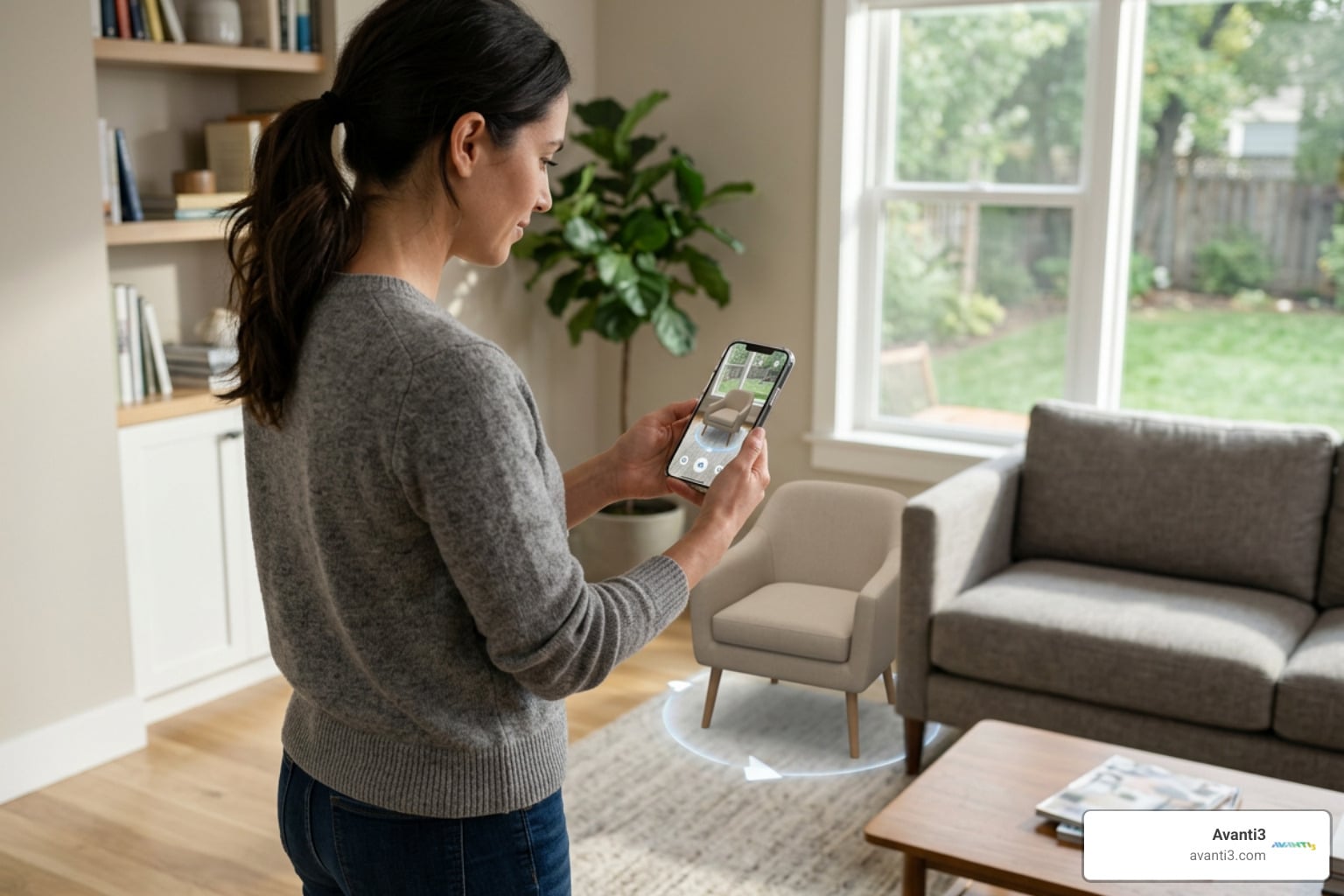


Seeing is Believing: Why AR Product Visualization is the New Normal
Online Shopping Has a Visualization Problem — AR Is the Fix
Augmented reality product visualization is the technology that lets shoppers place true-to-scale, interactive 3D models of products into their real-world environment using a smartphone, tablet, or browser — no headset required.
Here’s what it means in practice:
- What it is: A digital layer placed over the real world via your device’s camera, showing exactly how a product looks and fits in your space
- How it differs from VR: AR keeps you in the real world and adds digital objects to it; VR replaces your environment entirely
- How it differs from 2D images: Static photos can’t show scale, fit, or context — AR does all three in real time
- Who uses it: Furniture brands, fashion retailers, automotive companies, beauty brands, and more
- Why it matters: Shoppers who use AR are 90% more likely to convert, and 64% say they’d be less likely to return a product if they could experience it virtually first
The numbers tell a clear story. 70% of people struggle to make purchase decisions online. 67% lack the spatial imagination to picture how a product will look in their home. And 78% say they’d prefer to interact with a product before buying.
AR solves all three problems at once.
With over 1.4 billion AR-capable devices already in consumers’ hands — and AR experiences generating 200% more engagement than standard product pages — this technology has moved well past “emerging trend.” It’s becoming the baseline expectation for modern online shopping.
I’m Samir ElKamouny, a marketing expert and entrepreneur who has spent years helping businesses scale through innovative digital strategies, including augmented reality product visualization. In this guide, I’ll break down exactly how AR works, where it delivers the biggest returns, and how your brand can implement it — fast.
The Mechanics and Benefits of augmented reality product visualization
When we talk about augmented reality product visualization, we aren’t just talking about a cool filter. We’re talking about a sophisticated bridge between the digital and physical worlds. For years, the biggest hurdle in e-commerce has been the “imagination gap.” A customer sees a beautiful velvet sofa online, but they can’t quite “see” it in their sunroom. Will it block the walkway? Does the blue clash with the rug?
AR removes the guesswork by creating a “digital twin” of the product.
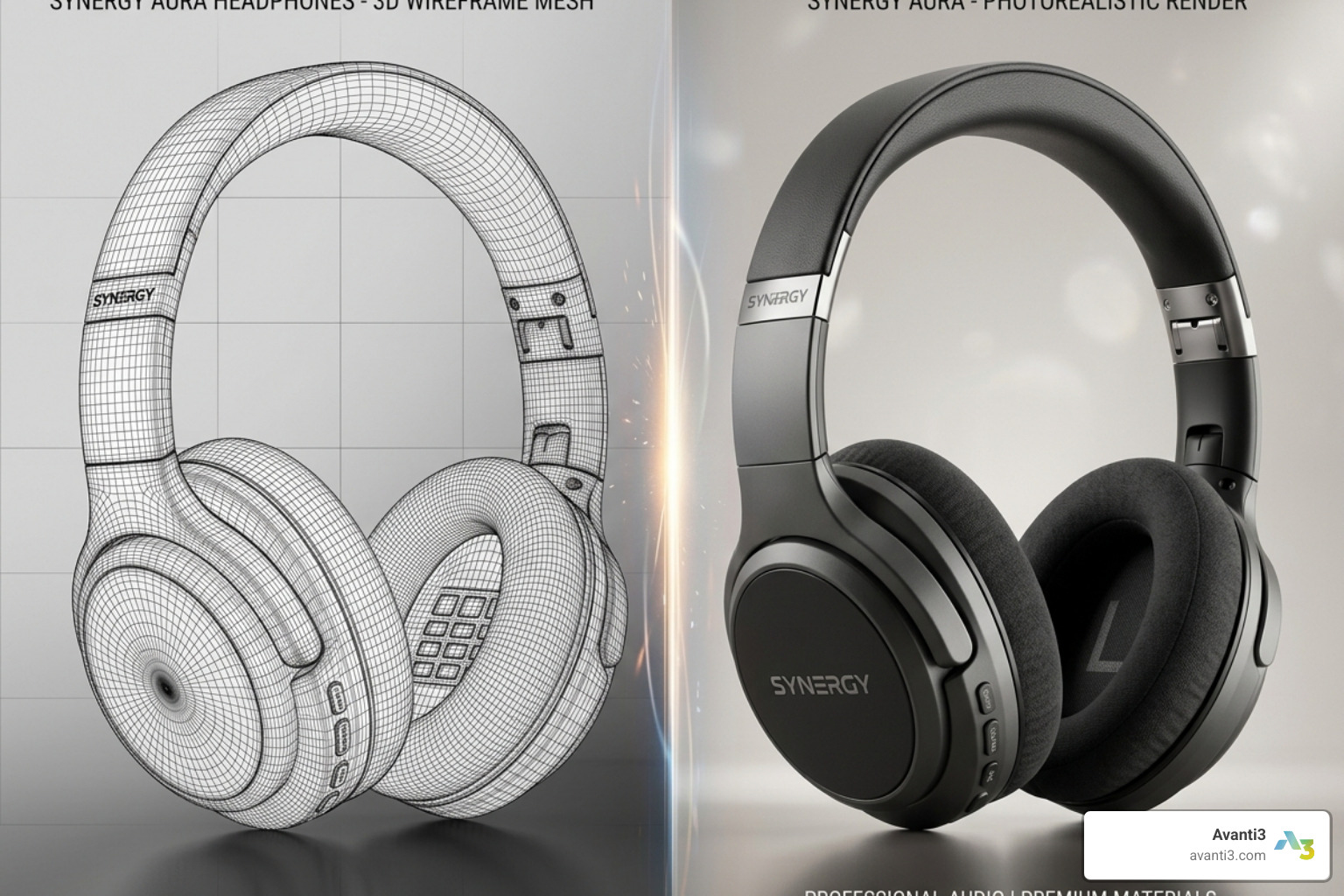
The Building Blocks of AR
To make a product “leap off the screen,” several technical elements must work in harmony:
- 3D Modeling: This is the foundation. We move away from flat photography and create a three-dimensional asset. This can be done via manual modeling or photogrammetry (stitching together hundreds of 2D photos to create a 3D shape).
- PBR (Physically Based Rendering) Textures: This ensures the digital object reacts to light like a real object would. If you’re looking at a leather chair in AR, the “sheen” of the leather should change as you move your phone around it.
- File Formats (glTF and USDZ): These are the “JPGs of the 3D world.” glTF is the open standard often used for web and Android, while USDZ is Apple’s proprietary format for iOS. Using these ensures the models load fast and look sharp. If you want a deeper technical overview of these standards, the Khronos Group’s glTF documentation is a useful reference.
AR vs. VR vs. Traditional Media
It’s helpful to understand where AR sits in the visualization spectrum. While traditional 2D images are the “old faithful,” they are increasingly insufficient for high-stakes purchases.
| Feature | 2D Images | Virtual Reality (VR) | Augmented Reality (AR) |
|---|---|---|---|
| Environment | Static / Pre-shot | Fully digital/simulated | Real-world background |
| Hardware | Any screen | Headsets (Oculus/Vive) | Smartphones/Tablets |
| Context | Zero context | Simulated context | Perfect real-world context |
| Engagement | Low | High (but high friction) | Very High (low friction) |
| Spatial Sense | None | Immersive | True-to-scale |
By keeping the user in their actual environment, AR provides a level of utility that VR simply can’t match for everyday shopping. It’s the difference between “imagining a kitchen” and “seeing the new fridge in your kitchen.”
How augmented reality product visualization Works Technically
If you’ve ever wondered how your phone knows exactly where the floor is, you’re witnessing the magic of environment mapping and markerless AR.
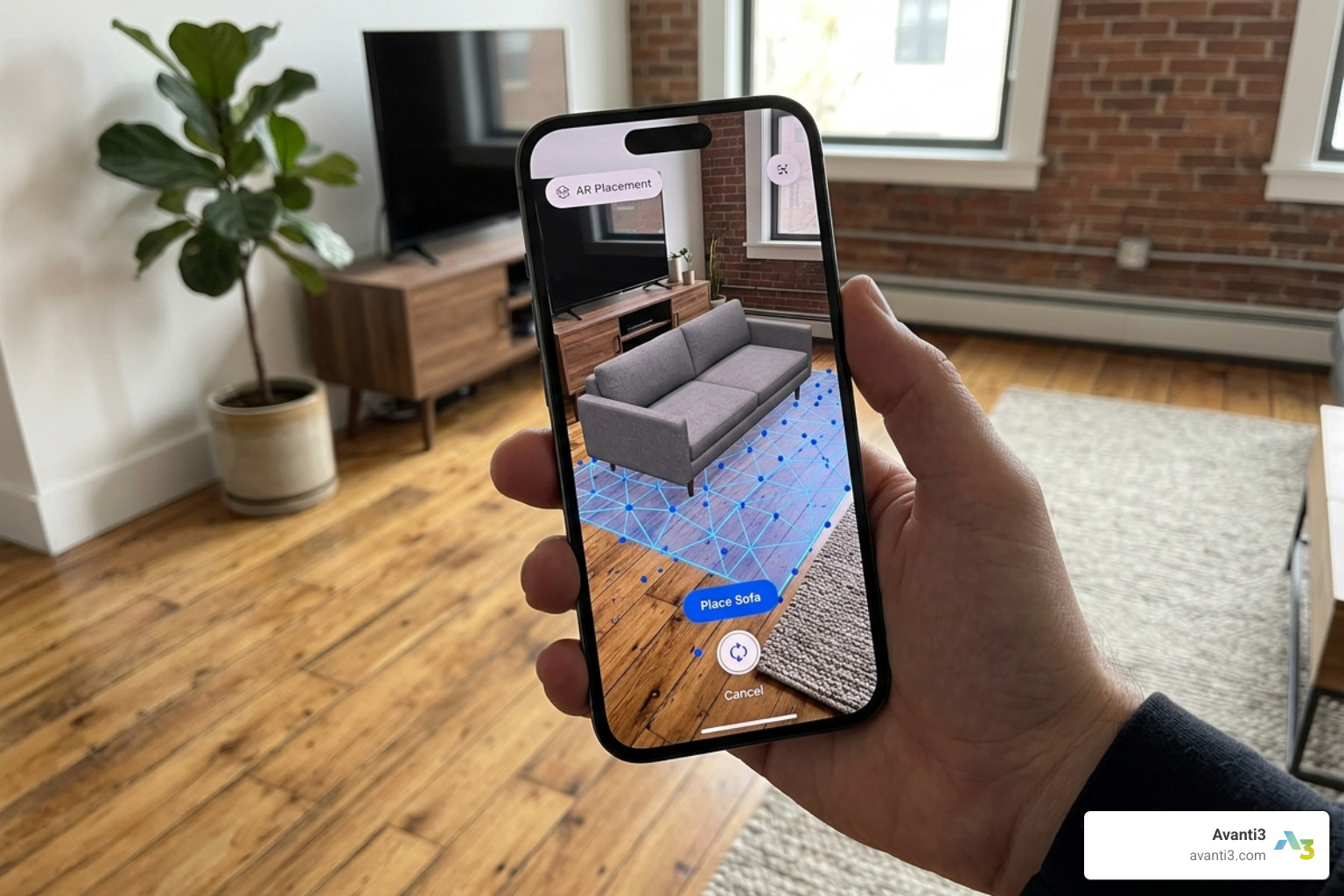
Modern AR uses a device’s sensors (camera, gyroscope, and accelerometer) to perform SLAM (Simultaneous Localization and Mapping). This allows the software to recognize flat surfaces like floors, tables, and walls.
Key technical features include:
- Lighting Estimation: The AR software analyzes the light in your actual room and applies it to the 3D model. If your room is dimly lit, the virtual product will have soft shadows, making it look incredibly realistic.
- Occlusion: This is a fancy way of saying “putting things behind other things.” If a virtual dog runs behind your real-world coffee table, occlusion ensures the dog disappears behind the table rather than floating awkwardly in front of it.
- Spatial Anchors: These allow a product to stay “pinned” to a spot. You can place a virtual lamp on a side table, walk into the other room, come back, and the lamp will still be exactly where you left it.
Driving ROI through Enhanced Customer Experiences
At the end of the day, businesses care about the bottom line. The research shows that augmented reality product visualization isn’t just a “nice-to-have” feature; it’s a massive revenue driver.
Consider these statistics:
- 90% higher conversion rates: Users who interact with AR are significantly more likely to hit the “buy” button because their uncertainty has been erased.
- 64% reduction in returns: When a customer can see that a 70-inch TV actually fits on their wall, they won’t have to send it back a week later. This is a massive cost-saver for retailers.
- 13% higher Average Order Value (AOV): Confidence leads to bigger baskets. If a customer sees that the armchair looks great, they’re more likely to add the matching ottoman.
Beyond the immediate sale, AR provides AR marketing solutions that offer deep data insights. We can track engagement maps-seeing which parts of a product a user zooms in on-and use that for trend forecasting. If 80% of your AR users are testing the “Emerald Green” velvet option but buying the “Beige,” you know your marketing needs to bridge that gap.
For Gen Z, this isn’t even a question. 92% of Gen Z shoppers want AR for shopping, and 47% would actually pay extra for the privilege of visualizing a product in AR before buying. It’s about building customer confidence in a world where attention spans are short and competition is fierce.
Implementing and Scaling augmented reality product visualization
So, how do you actually get started? Many businesses assume they need a six-figure budget and a year of development time. In reality, modern AR/VR immersive experiences can be launched much faster than you might think.
The Implementation Roadmap
A standard rollout for augmented reality product visualization often follows a 4-week timeline:
- Week 1: Opportunity Analysis. Identify which products (SKUs) will benefit most. Usually, these are high-value, “big-ticket” items like furniture, appliances, or luxury accessories.
- Week 2: 3D Model Database Creation. Convert your product catalog into 3D assets using photogrammetry or CAD files.
- Week 3: AR Transfer. Optimize these models for mobile viewing, ensuring they are lightweight enough to load in seconds but detailed enough to look real.
- Week 4: Implementation. Embed the AR viewer onto your website or app.
Choosing the Right Deployment for augmented reality product visualization
One of the biggest decisions you’ll face is whether to go with WebAR or an App-based solution.
- WebAR (The Frictionless Choice): This allows users to launch AR directly from their mobile browser (Safari or Chrome). There is no “Download our App” barrier. Since 71% of shoppers say they’d shop more often if AR were available, making it easy to access is key. WebAR is perfect for social media ads and QR code triggers on physical packaging.
- App-based AR (The Feature-Rich Choice): Apps allow for deeper functionality, like offline access or complex Native SDK integrations. However, the “app fatigue” is real—most shoppers won’t download an app just to look at one chair.
- SaaS vs. In-house: For most brands, a SaaS (Software as a Service) platform is the way to go. It offers scalability and handles the heavy lifting of hosting 3D assets and ensuring cross-platform compatibility.
While hardware limitations (like older phones not supporting AR) used to be a hurdle, the vast majority of smartphones sold in the last five years are “AR-ready.”
Best Practices for High-Quality AR Experiences
A bad AR experience is worse than no AR experience. If a virtual rug looks like a flat sticker on the floor, it won’t drive sales.
To succeed, follow these best practices:
- Photorealistic Renders: Invest in high-quality textures. The fabric should look touchable, and the metal should look cold.
- True-to-Scale Accuracy: This is non-negotiable. If your AR sofa is 10% smaller than the real one, you are setting yourself up for a return and an angry customer.
- Intuitive UX/UI: Don’t hide the AR button. Place it clearly near the product image with a call-to-action like “View in Your Room.”
- Variant Switching: Allow users to change colors, materials, or sizes within the AR view. This creates an augmented reality marketing loop where the customer becomes the designer.
- Loading Speeds: Optimize your assets. If a model takes 30 seconds to load, the customer is gone. Aim for under 3 seconds.
Future Trends: AI, Spatial Computing, and Web3
We are currently standing at the threshold of a new era in digital engagement. At Avanti3, we are seeing the convergence of several powerful technologies that will make augmented reality product visualization even more immersive.
- Generative AI 3D Assets: Soon, AI will be able to generate high-quality 3D models from a single text prompt or a few 2D photos, drastically reducing the cost of content creation.
- AR Glasses and Spatial Computing: As devices like the Apple Vision Pro and Meta Quest 3 become more mainstream, we will move away from “looking through a window” (our phones) to “living in the experience.”
- Web3 and Blockchain: Imagine owning a limited-edition digital twin of your sneakers as an NFT. You can wear them in the metaverse and visualize them in your real-world closet via augmented reality NFTs.
- Hyper-Personalization: AI will soon suggest products based on the actual furniture already in your room, creating a virtual showroom tailored specifically to your taste.
Measuring Success and Calculating ROI
To know if your investment is working, you need to track the right KPIs. Don’t just look at “total views”—look at the data that impacts the bottom line:
- View-to-AR Rate: What percentage of visitors actually click the AR button?
- AR-to-Purchase Rate: Do users who use AR convert at a higher rate than those who don’t? (Hint: The research says yes, often by up to 90%).
- Engagement Time: AR sessions are typically 3.5x longer than traditional sessions. More time on page equals more brand affinity.
- Return Rate Reduction: Track the return rates of AR-visualized products versus those bought via 2D images.
You can even run A/B testing templates—showing AR to half your audience and static images to the other—to see the exact revenue uplift. This augmented reality marketing approach allows for analytics-driven optimization, ensuring you are always putting your best virtual foot forward.
Conclusion: Don’t Get Left Behind
In 2025, offering augmented reality product visualization is no longer a futuristic gimmick — it’s a competitive necessity. We’ve seen that 71% of shoppers would shop more often if AR were available, and the brands that adopt this early are positioning themselves as market leaders.
Whether you are a furniture retailer looking to reduce returns or a fashion brand wanting to increase engagement, AR provides the clarity and confidence that modern consumers crave. It bridges the gap between “I think I like this” and “I know this belongs in my home.”
At Avanti3, we specialize in integrating these cutting-edge Web3 and AR technologies to help brands create unforgettable digital experiences. The technology is here, the hardware is in your customers’ pockets, and the ROI is proven.
Ready to let your customers see for themselves? The future of retail isn’t just online — it’s augmented.