

Why Knowing the Right Tools Needed for Virtual Reality Exhibition Can Make or Break Your Project
The tools needed for virtual reality exhibition success span both software and hardware — here’s a quick overview:
| Category | Key Tools |
|---|---|
| 3D Modeling | SketchUp, Blender, Autodesk 3ds Max |
| VR Development | Unity, Unreal Engine, Vizard |
| Interactive Content | ThingLink, Artsteps, VR-All-Art Editor |
| No-Code Platforms | Matterport, ClassVR, Artsteps |
| VR Headsets | Meta Quest, Varjo XR-4, HTC Vive |
| Projection Systems | Multi-wall 3D displays, Epson Immersive Rooms |
| Collaboration | Project management + communication tools |
| Physiological Tracking | Eye trackers, biofeedback sensors |
Building a VR exhibition is no small feat. You’re not just designing a space — you’re engineering an experience that has to feel real enough to hold attention, immersive enough to tell a story, and technically solid enough to run without crashing.
The stakes are real. Research shows that participants respond to VR simulations almost as if they were in actual real-world environments. That means the tools you choose directly shape how your audience feels inside your exhibition.
Get the tools right, and you create something memorable. Get them wrong, and visitors get motion sickness, low-res visuals, or a broken experience that kills engagement.
This guide walks you through every category of tool you’ll need — from the software that builds your world to the hardware that brings it to life.
I’m Samir ElKamouny, an entrepreneur and marketing expert who has helped scale countless brands using cutting-edge digital technologies, including the tools needed for virtual reality exhibition design and immersive audience experiences. In this guide, I’ll break down exactly what you need to build a VR exhibition that doesn’t just impress — it converts.
Tools needed for virtual reality exhibition further reading:
Essential Software and Hardware Tools Needed for Virtual Reality Exhibition Success
To build a world-class exhibition, we need to think about the “VR Triangle”: visual display, input devices, and tracking systems. When these three elements are synchronized, we achieve high ecological validity—a fancy way of saying the virtual experience feels as “real” to the human brain as the physical world.
Scientific studies have demonstrated that participants respond to VR simulations with the same physiological and emotional intensity as real-life scenarios. This makes VR a powerhouse for storytelling and ar-vr-immersive-experiences that leave a lasting impact.
But how do you choose between a headset-based setup and a projection-based one? Each has its own strengths depending on your goals.
| Feature | Headset-Based (HMD) | Projection-Based (CAVE/Wall) |
|---|---|---|
| Immersion | High (Full 360-degree isolation) | Moderate to High (Peripheral awareness) |
| Social Interaction | Difficult (Requires avatars) | Easy (Natural eye contact with others) |
| Mobility | High (Room-scale movement) | Limited (Fixed to the projection area) |
| Audience Size | Individual (One headset per person) | Groups (Multiple people in one room) |
| Hardware Cost | Lower (Consumer-grade available) | Higher (Industrial projectors/screens) |
Core Software Tools Needed for Virtual Reality Exhibition Design
Before we put on a headset, we have to build the world. This starts with 3D modeling and rendering software. We use these tools to create the digital architecture of our exhibit, from the walls of a gallery to the intricate details of a historical artifact.
- SketchUp: A favorite for exhibit designers due to its intuitive interface. It’s perfect for building architectural layouts and SketchUp allows for quick conceptualization.
- Blender: The gold standard for open-source 3D creation. It’s powerful, free, and supports the entire 3D pipeline—modeling, rigging, animation, and rendering.
- Unity & Unreal Engine: These are the “game engines” that turn static 3D models into interactive experiences. Unity is widely used for its flexibility and massive community support, while Unreal is prized for its cinematic, high-fidelity visuals.
- ThingLink: For those who want to create virtual-art-experiences without deep coding knowledge, ThingLink is a lifesaver. It allows us to take 360-degree photos or videos and add interactive hotspots with text, audio, and links.
High-Fidelity Hardware and Tracking Systems
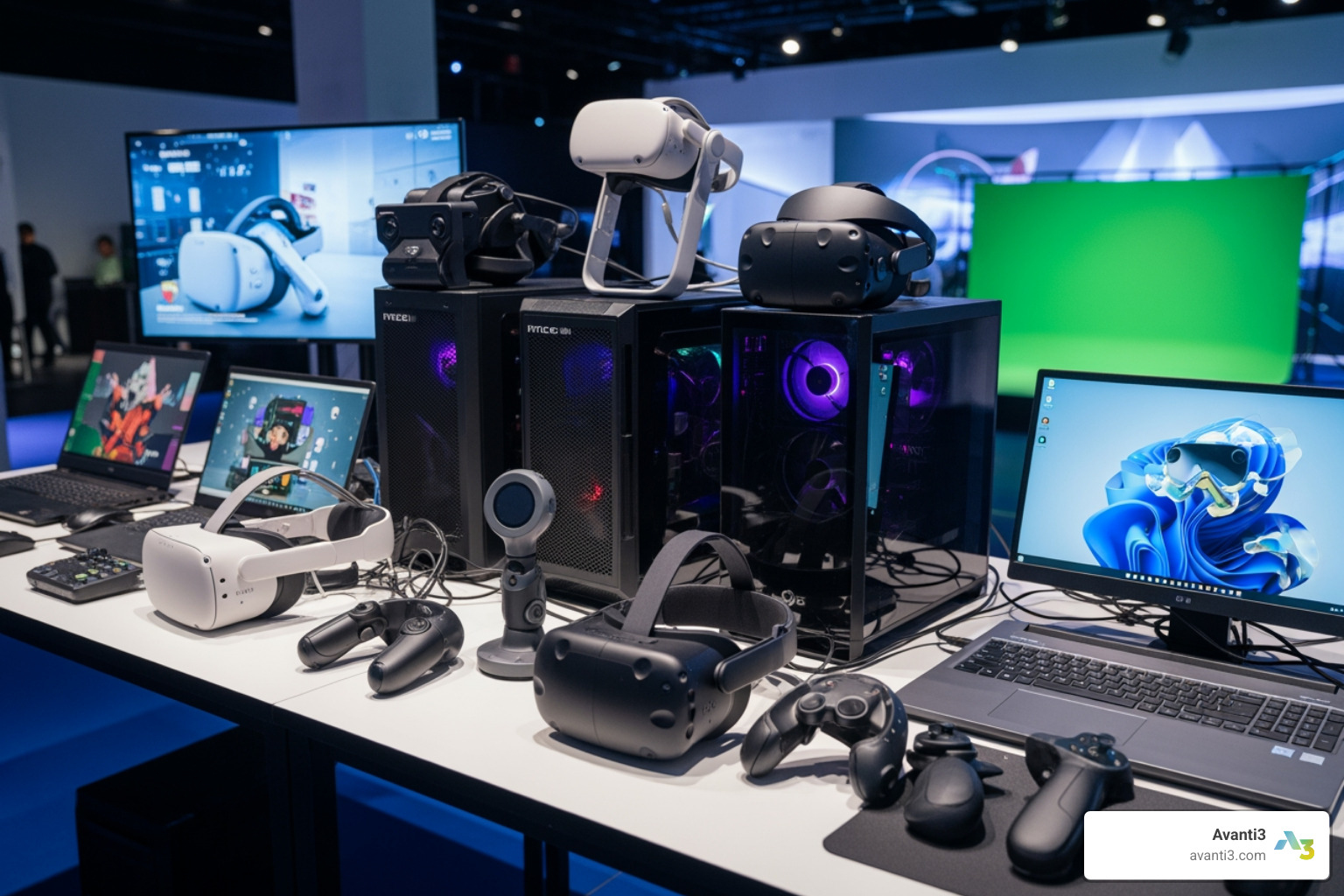
The hardware is the bridge between our digital creation and the visitor’s senses. In the 1990s, VR headsets had resolutions that looked like a blurry mosaic. Today, we are reaching “human-eye resolution.”
- Varjo XR-4: This is the current peak of fidelity, offering up to 71 PPD (Pixels Per Degree). It’s designed for professional use where every tiny detail matters. Varjo XR-4 is ideal for high-end corporate or museum displays.
- Pimax Crystal: Another heavy hitter in the resolution department, the Pimax Crystal is known for its wide field of view, making the environment feel less like looking through goggles and more like being there.
- Tracking Systems: “Inside-out” tracking (using cameras on the headset) is common for mobile setups like the Meta Quest. However, for precise research or high-end exhibits, external optical systems or “ground truth” tracking provide much better accuracy.
- Haptic Feedback: To truly immerse a visitor, we can’t just rely on sight and sound. Manus VR Data Gloves allow users to “touch” and interact with virtual objects, adding a layer of tactile realism that standard controllers can’t match.
Interactive Content and Multi-User Platforms
An exhibition is often a social event. We don’t want our visitors to feel isolated in their own little bubbles. Multi-user platforms allow several people to enter the same virtual space simultaneously, seeing each other as avatars.
- Avatars: Tools like ReadyPlayerMe and Avaturn allow us to create highly customizable, realistic digital personas. This is vital for digital-experience-design because it fosters a sense of presence and community.
- Vizard & SightLab VR Pro: For researchers or curators who need to build complex experiments or interactive scenes with little code, Vizard and SighLab VR Pro are excellent. They facilitate the creation of multi-user environments where we can track how people interact with the exhibit in real-time.
- WebXR: This is an open standard that lets people access VR exhibitions directly through a web browser using the Oculus Browser or Microsoft Edge. It lowers the barrier to entry significantly.
Optimizing Your Setup and Workflow
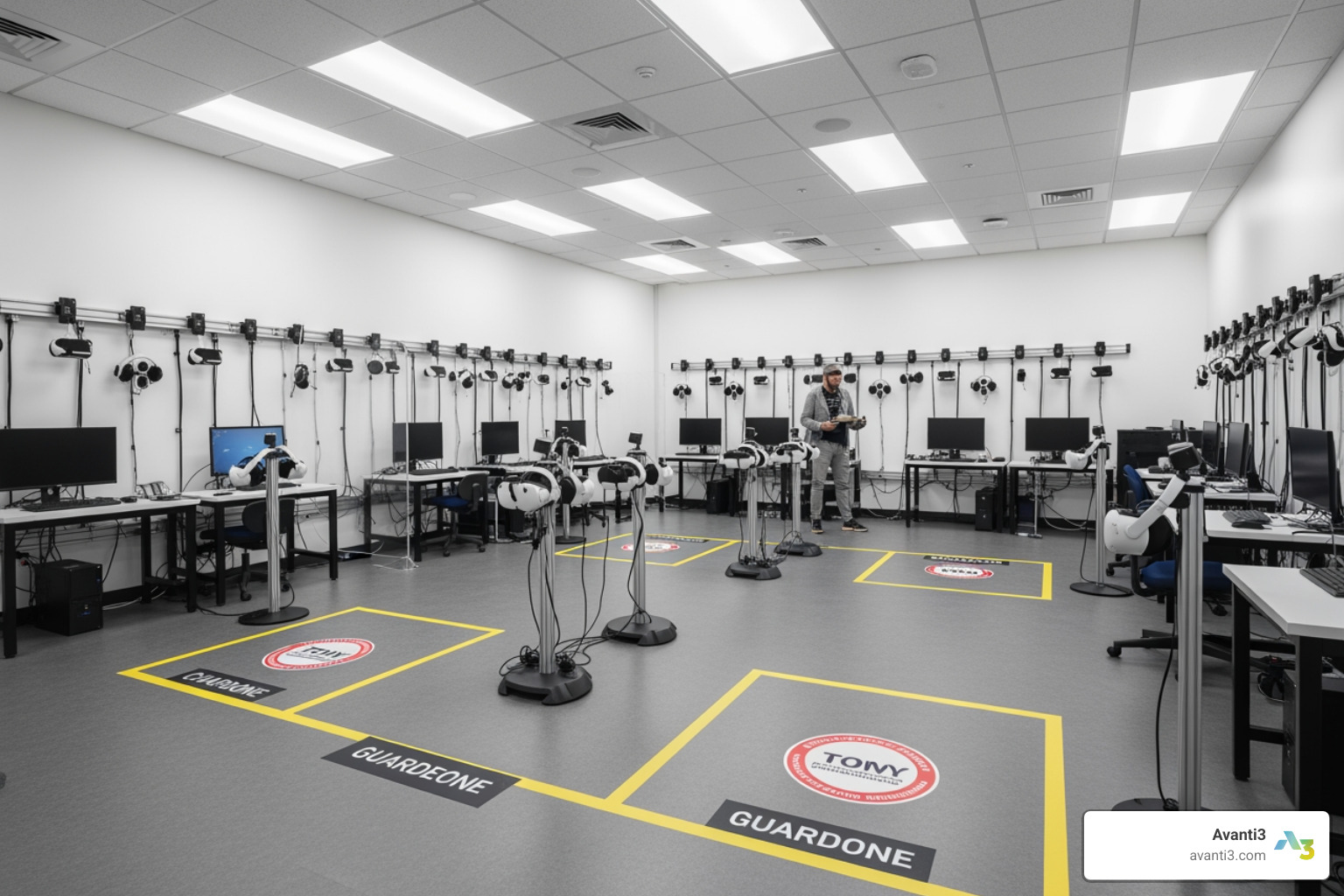
Designing the virtual world is only half the battle; the physical space where the exhibition happens is just as important. We need to consider the layout to ensure safety and performance.
- The “Chaperone” Space: If visitors are wearing headsets, they need a clear area free of obstacles. We recommend at least 3 square feet per player for high-movement games, but for a standard walk-through exhibit, a 2m x 2m “guardian” boundary is usually sufficient.
- Cable Management: Cables are the enemy of immersion (and a major tripping hazard). We use drop ceilings, pulley systems, or high-performance wireless “Air Link” connections to keep the floor clear.
- Lighting and Interference: For projection-based systems, ambient light is a dealbreaker. You need a controlled, dark environment. For headsets using optical tracking, avoid mirrors or highly reflective surfaces, as these can confuse the sensors.
- The “3-Hour Rule” for Audio: When planning sound, remember our team’s golden rule: never make anything so loud or repetitive that someone working in the space couldn’t stand it for more than three hours. Use high-quality, over-the-ear headphones to isolate sound for the user without disturbing the rest of the gallery.
Specialized Tools Needed for Virtual Reality Exhibition Research
If your exhibition is part of a research project or a high-stakes marketing study, you need data. We don’t just want to know if people liked the exhibit; we want to know why.
- Eye Tracking: Many modern headsets now come with integrated eye tracking. This allows us to see exactly where a visitor’s attention is focused. Are they looking at the artwork, or are they distracted by the UI?
- Physiological Measurement: To validate a user’s reaction, we can use devices from BIOPAC. These sensors measure heart rate, skin conductance, and even EEG (brain waves). If a visitor says they weren’t scared by a virtual height, but their heart rate doubled, the data tells the real story.
- Behavioral Analytics: Software like SightLab VR Pro allows us to record every movement and interaction, creating heatmaps and data visualizations that help us improve the ar-vr-immersive-experiences for future visitors.
Cost-Effective Solutions for Emerging Teams
We know that not every startup or small museum has the budget for a $5,000 Varjo headset. Fortunately, the barrier to entry has never been lower.
- Open-Source and Free Tools: Master Blender for your 3D assets and use the free version of SketchUp for layout design.
- Browser-Based Platforms: Artsteps is a fantastic, free tool that lets you build virtual galleries in your browser and share them via a simple link. It even supports 3D objects and guided tours.
- Hardware Sourcing: You don’t always need the newest gear. Refurbished Windows laptops or older Meta Quest headsets can still run impressive interactive installations. We also recommend looking for Creative Jobs and communities where professionals often share tips on sourcing affordable equipment.
- Community Support: Join groups like the CS3DP or the IIIF 3D Community to learn from others who are digitizing cultural heritage on a budget.
Future-Proofing with Avanti3 and Web3 Integration
At Avanti3, we believe the future of exhibitions isn’t just about looking—it’s about owning and participating. By integrating Web3 technologies, we can take a standard VR exhibition and turn it into a thriving digital economy.
- Blockchain and NFTs: Imagine a visitor attending your VR art gallery and being able to purchase a limited-edition digital twin of the artwork as an NFT. This doesn’t just provide a souvenir; it creates a verifiable link between the creator and the fan.
- Fan Monetization: We use these tools to help brands and creators build rewards systems. Perhaps attending a specific virtual exhibit unlocks a “digital badge” that grants the user real-world discounts or exclusive access to future events.
- Customizable Engagement: Our virtual-reality-experiences are designed to be more than passive. With AI-powered avatars and blockchain-backed community tools, we empower you to build a space where fans don’t just visit—they belong.
Building a virtual exhibition is a journey from the first 3D sketch to the final haptic click. By choosing the right tools needed for virtual reality exhibition success, we ensure that every visitor walks away with a story worth telling.
Ready to architect your own digital world? Whether you’re a museum curator or a brand looking to engage fans in a new way, we’re here to help you bridge the gap between the physical and the virtual.
Sign up Sign up for more career guidance in the creative tech space, or Create a free account to start your journey as a digital architect today.